
Salesforce gives many customize application permissions to control what users can do inside the system. One of the most powerful permissions is Customize Application. This permission allows users to change many important parts of Salesforce. Because of this, it should only be given to trusted users.
When a user has this permission, they can create, edit, and manage objects, fields, layouts, automation, and more. This means they can change how the system works for the entire organization. If used correctly, it helps improve system performance and user experience. If used incorrectly, it can create confusion and data issues.
Many companies give this permission only to system admins or experienced users. It is important to follow proper rules and testing processes before making changes. This ensures that the system remains stable and easy to use.
Data Structure and Object Schema in Salesforce
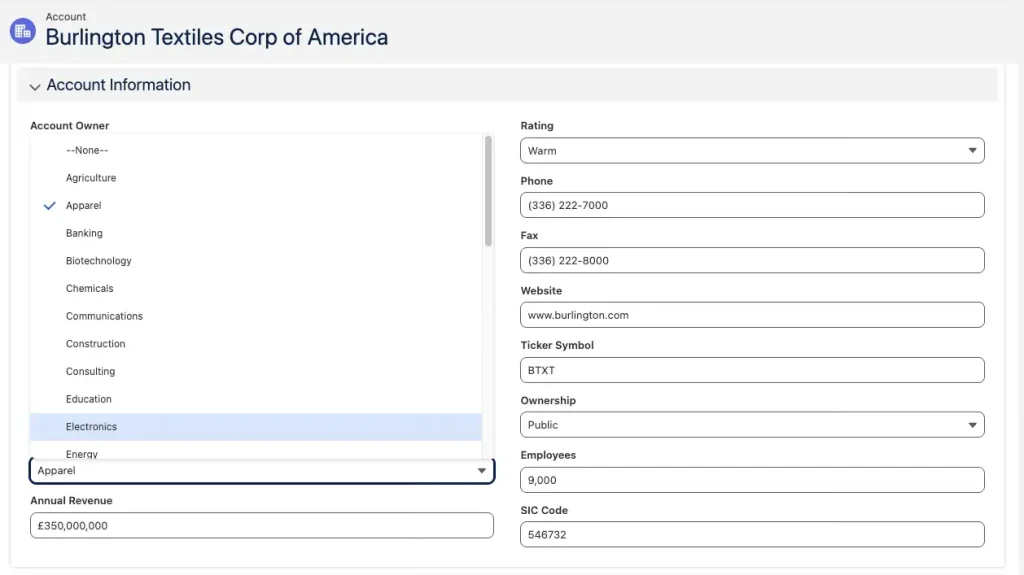
Customize Application allows users to shape and manage the data structure in Salesforce based on business needs. This includes creating, editing, and deleting custom fields, as well as adding and managing record types.
With this permission, admins can also update standard picklist values such as Industry and map custom lead fields to fields on Accounts, Contacts, or Opportunities. Once mapping is done, data is automatically transferred during lead conversion, which helps maintain accuracy.
This permission also allows users to create, edit, and delete custom objects. These should be created carefully because too many objects can make the data model confusing and harder to use. Admins can also create custom tabs to make navigation easier across different parts of the system.
Even though Visualforce has replaced older S-Controls in most cases, this permission still allows users to manage S-Controls when required. This ensures that older components can still be handled properly while working with Salesforce.
User Experience (UX) and Layout Management in Salesforce
A simple and clean user experience plays a very important role in how users work in Salesforce. If the system is easy to use, users can complete tasks faster and with fewer mistakes. A confusing layout can slow down work and reduce productivity, so improving UX is always important.
With Customize Application permission, admins can create, edit, and delete page layouts to control what users see on record pages. This includes fields, buttons, related lists, and actions. Admins can decide which information is important and how it should be shown to different users based on their roles.
If your organization uses Lightning record pages with Dynamic Forms, this permission also allows you to manage those layouts. You can control field visibility, section placement, and user-specific views. This helps in creating a more personalized and efficient user experience.
Admins can also manage custom links, rename tabs, and make changes to the interface to improve navigation. Self-service pages can be updated, and portal themes such as colors and branding can be customized to match company identity.
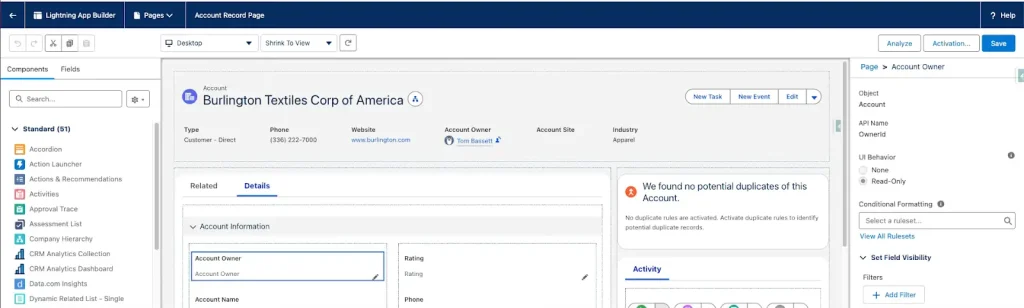
This permission also allows management of Custom Apps and Service Cloud Console Apps. Admins can configure how these apps work, organize tabs, and improve workflow for users who handle customer data or support tasks.
In addition, admins can create communities for external users where customers or partners can share ideas, ask questions, and get support. The Salesforce Customer Portal can also be set up and managed to improve communication and engagement.
All these features help in building a user-friendly Salesforce system that is easy to use, visually clear, and aligned with business needs.
Security and Reporting Control
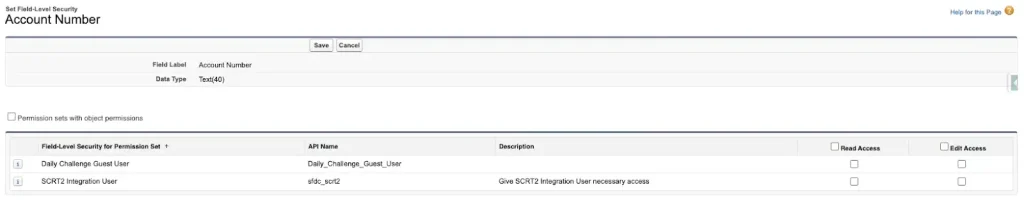
Customize Application also provides control over security settings. Admins can set field-level security to control who can see or edit specific data.
This helps protect sensitive information and ensures that users only access what they need.
Admins can also create and manage reports. Analytic snapshots can be scheduled to track data over time. This helps in making better business decisions.
List views can also be customized, and API names can be managed for better system organization.
Process Automation and Workflow Management
Automation is an important part of Salesforce. Customize Application allows users to manage workflow rules, alerts, and field updates.
Admins can create automation processes to reduce manual work. For example, emails can be sent automatically when a case is created.
Queues can be managed to assign work to teams. This helps in better task management.
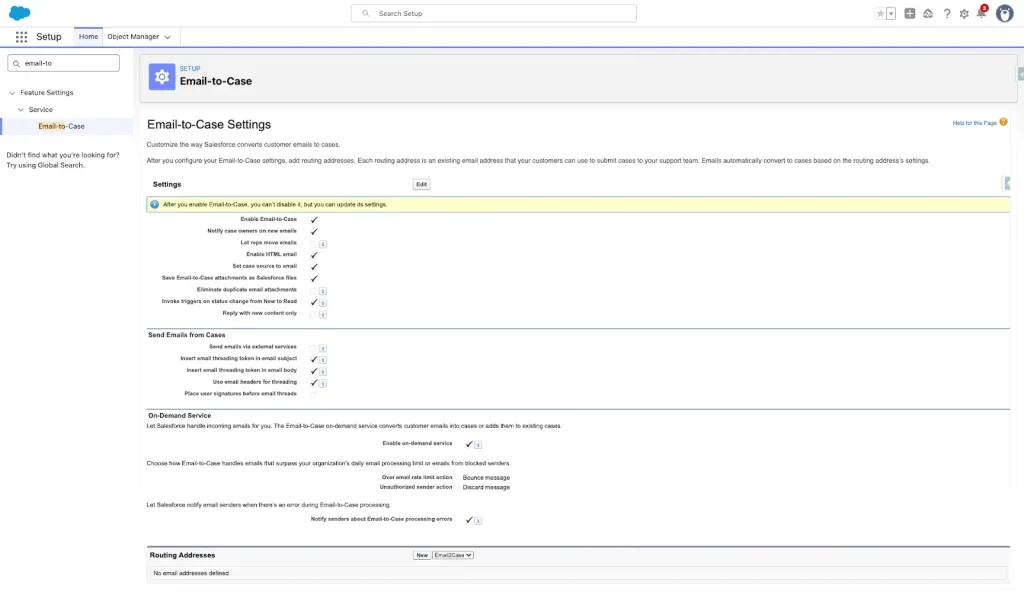
Features like Web-to-Lead and Email-to-Case can also be configured. These tools help in handling customer data and support requests efficiently.
Salesforce CRM Hotel Cloud Services
Global System-Wide Settings in Salesforce
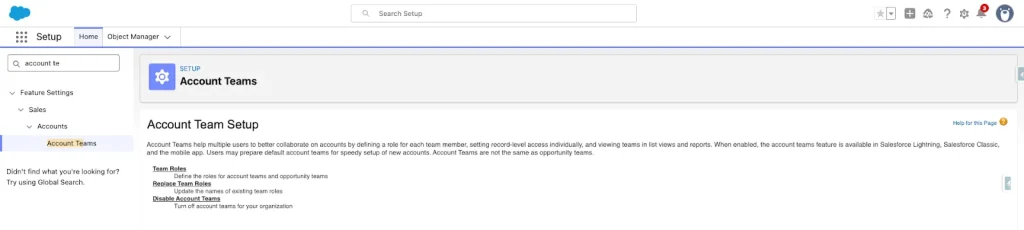
Customize Application gives access to system-wide settings. These settings affect the entire organization.
Admins can enable features like opportunity teams and account teams. This helps teams work together on deals.
Business hours and currency settings can also be configured. This is useful for companies working in different regions.
Admins can manage calendars, resources, and multilingual settings. This makes the system more flexible and user-friendly.
Other Permissions
Customize Application includes many additional capabilities that are not always clearly listed.
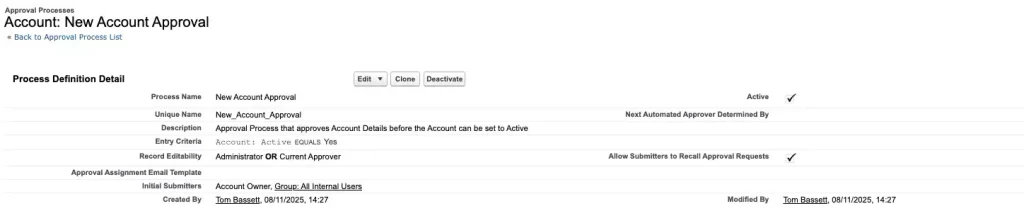
Users can create approval processes, manage external apps, and configure process automation settings. They can also manage Chatter settings and global value sets.
This permission also allows enabling features like multiple accounts for contacts. These features help in improving system functionality.
However, because of its wide access, it should be given carefully. Too many users with this permission can create risks.
Sandbox vs Production: Best Practice for Changes
All changes in Salesforce should be tested in a sandbox before applying them to production. This is a best practice followed by experienced admins.
A sandbox is a safe environment where changes can be tested without affecting real data. Once everything works correctly, changes can be deployed to production.
There are no strict restrictions preventing users from making changes directly in production. This is why trust is very important when giving this permission.
Proper testing reduces errors and ensures system stability.
Future of Customize Application Permission
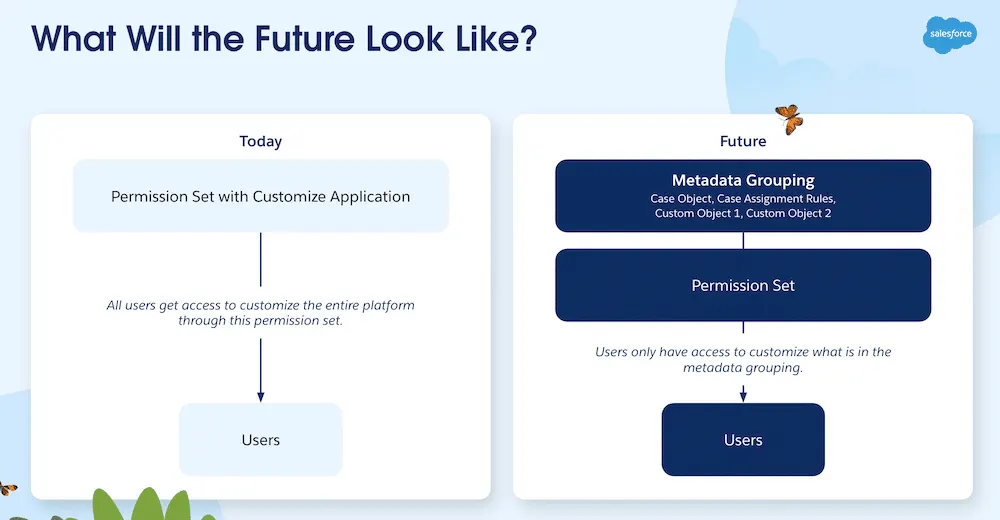
Salesforce is working to improve how permissions are managed. Customize Application is a very large permission, and many admins find it difficult to control.
One idea is to split this permission into smaller parts. This would give better control and reduce risks.
Another idea is to create a detailed permission dictionary. This would help users understand what each permission does.
However, breaking this permission into many smaller ones can also make management more complex. Salesforce is trying to find a balance between control and simplicity.
Summary
Customize Application is one of the most powerful permissions in Salesforce. It allows users to manage data, design, automation, and system settings.
Because of its wide access, it should only be given to trusted users. Proper testing, planning, and governance are very important.
When used correctly, this permission helps improve system performance, user experience, and business efficiency.
Businesses should always follow best practices and ensure that only skilled users have access to this permission.
FAQs
1. What is Customize Application permission in Salesforce?
Customize Application is a powerful permission that allows users to manage objects, fields, layouts, and system settings. It gives full control over many parts of Salesforce.
2. Who should be given this permission?
This permission should only be given to system admins or trusted users. Giving it to too many users can create security and data issues.
3. Why is sandbox testing important?
Sandbox testing helps in checking changes before applying them to the live system. This reduces errors and keeps the system stable.
4. Can this permission affect data security?
Yes, if not used carefully, it can expose sensitive data. Proper control and limited access are important for security.
5. What are the risks of using this permission?
The main risks include data loss, system errors, and poor system design. These risks can be avoided with proper planning and testing.
6. Can Customize Application be split into smaller permissions?
Salesforce is working on ideas to split this permission, but it is complex. Smaller permissions can improve control but also increase management effort.
7. How to use this permission safely?
Use sandbox for testing, follow best practices, and give access only to trained users. Regular audits also help maintain control.